Install Kshaw Player v37 on FireStick for Free – Easy Guide

Kshaw Player for FireStick is a media player app for Android devices. It helps users stream live TV, movies, sports, and on-demand content on FireStick and Fire TV. Moreover, the app offers smooth playback and quick loading speeds. Users can also enjoy many entertainment channels in one place.
Many users pair Kshaw Player with the Ola TV app. As a result, they can stream IPTV content from different sources easily. In addition, the app provides free streaming with good video quality.
Pro Tip: If Downloader is already installed on your FireStick, then use Downloader Code 351198 for quick installation.
This guide shows how to install Kshaw Player on FireStick, Fire TV, Fire TV Cube, and other Amazon Fire devices.
Step-by-Step Guide to Install Kshaw Player via Downloader App
Before you install Kshaw Player, first install the Downloader app. After that, allow third-party app installation in Fire TV settings.
So, follow these steps carefully.
Part 1: Set Up FireStick for Sideloading Kshaw Player
- First, turn on your FireStick or Fire TV device.
- Next, open the Settings menu from the home screen.
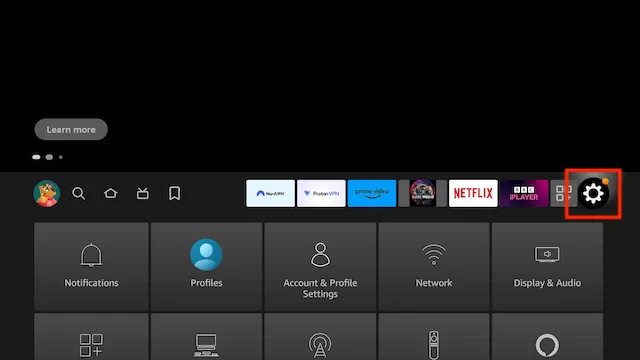
- Select Preferences
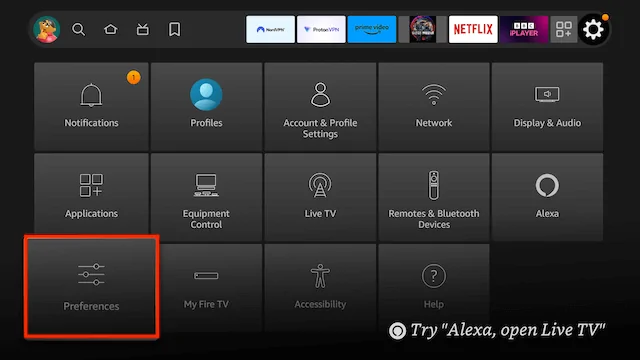
- Select Privacy Setttings
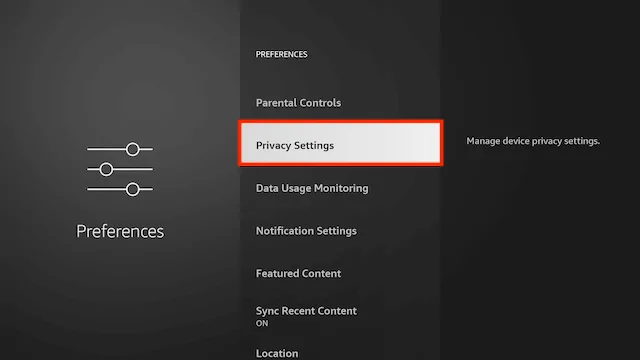
- Turn off all items in here
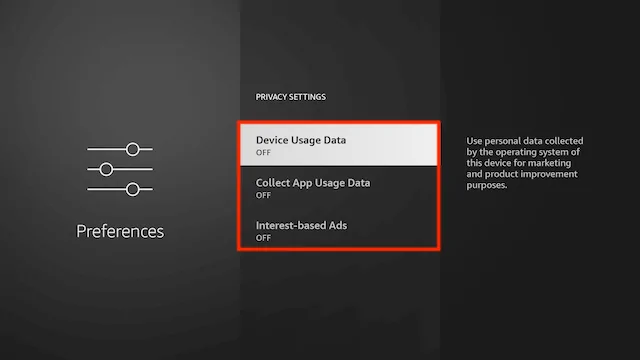
- Click back on your remote
- Select Data Usage Monitoring
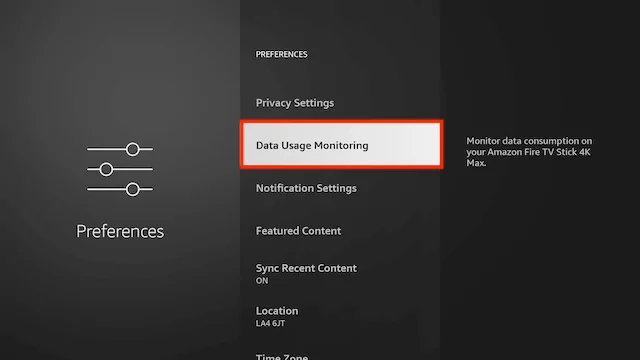
- Turn off Data Usage Monitoring
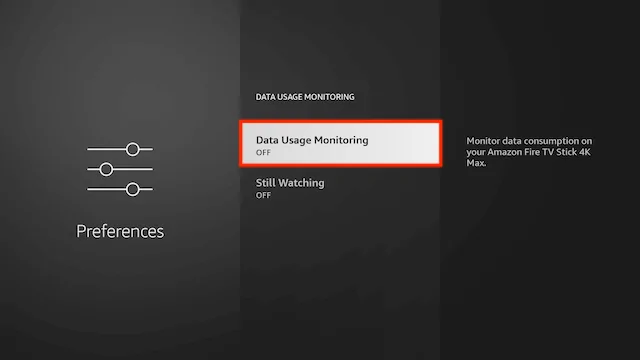
- Click back twice on your remote
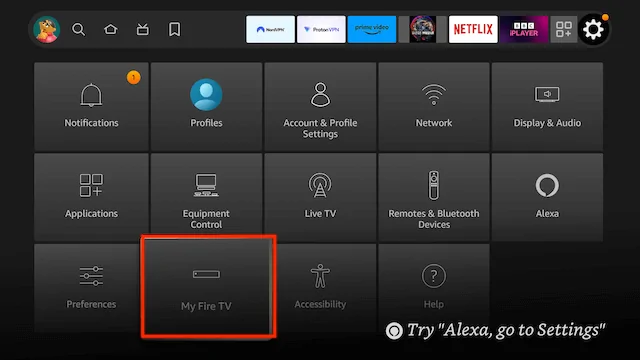
- Select My Fire TV
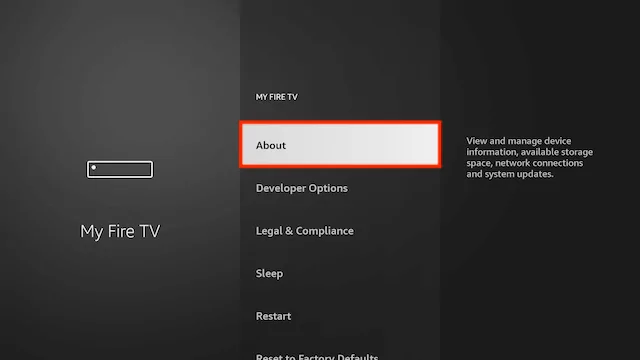
- Select About
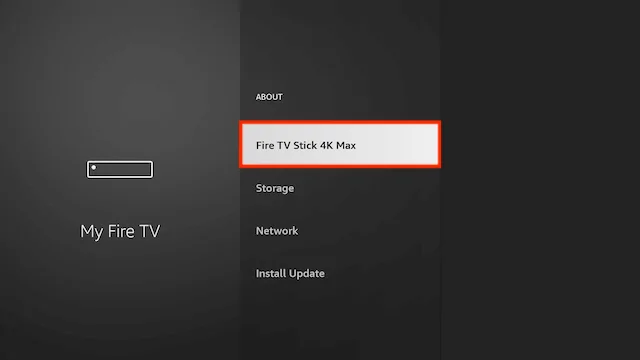
- You will now see the name of your Fire TV Device at the top. Click on it 7 times until it says “you are a developer” (this will allow you to allow/disallow unknown apps later)
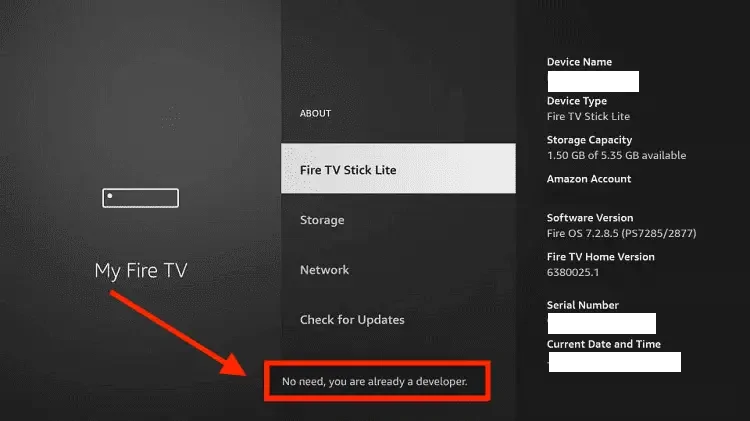
- if you see this message at the bottom saying “No need, you are already a developer”. So stop clicking then
- Click back on your remote and go to your Home Screen
- Use your remote to highlight the Search icon and then press down on your remote to highlight the Search Function
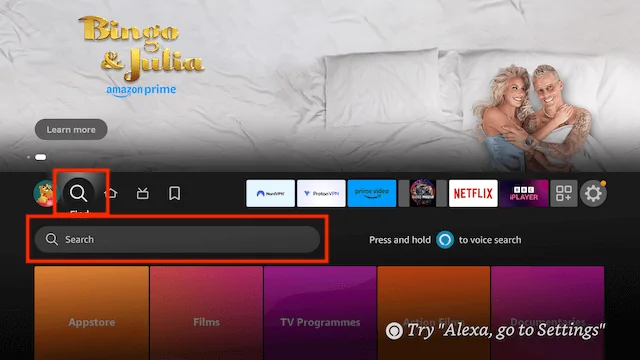
- Now click on Search. We are going to install Downloader here. This is one of the best apps for your Fire TV devices as you can sideload any 3rd party apps not available in the Amazon store in no time at all.
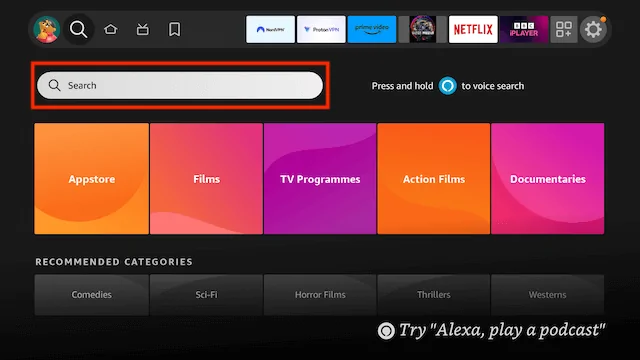
- Start typing Downloader until you see Downloader appear underneath
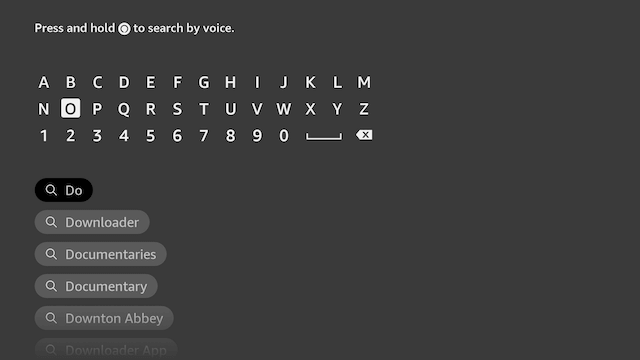
- Select Downloader
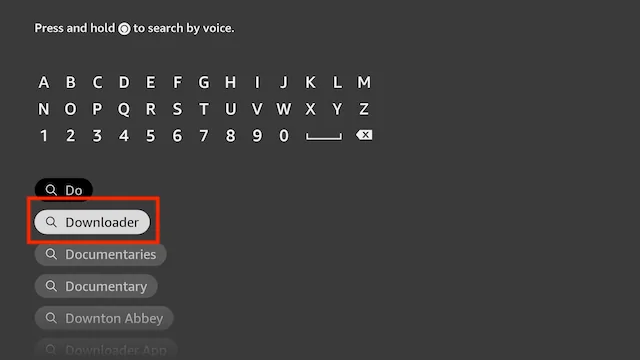
- Select Downloader
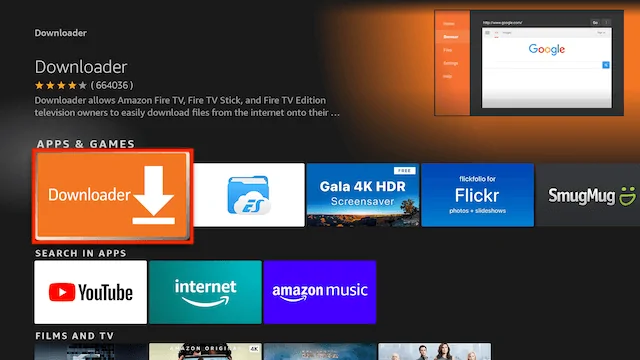
- Select Download
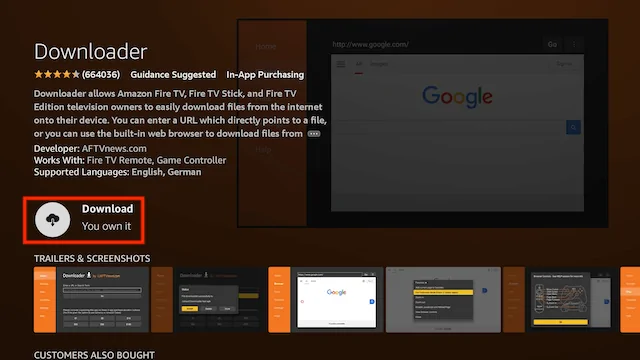
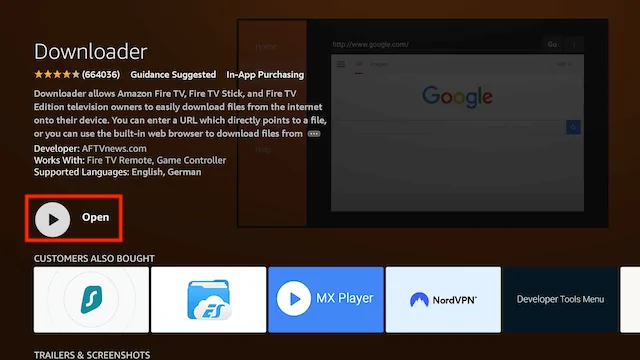
- Select Open
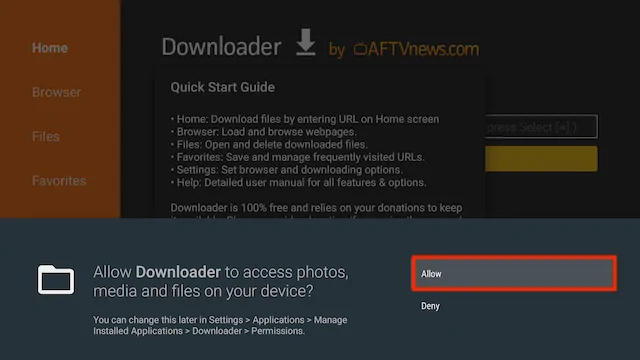
- Select Allow when asked to give Downloader access to files (necessary for it to install APKs)
- Select OK
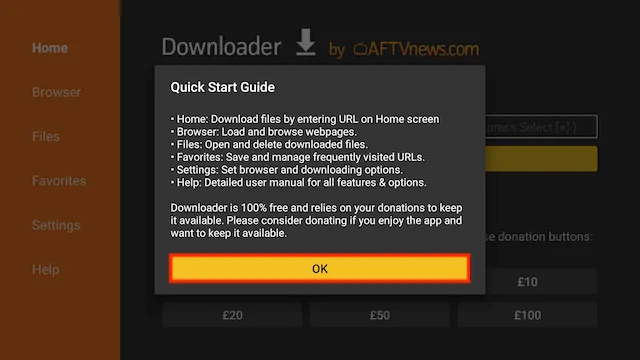
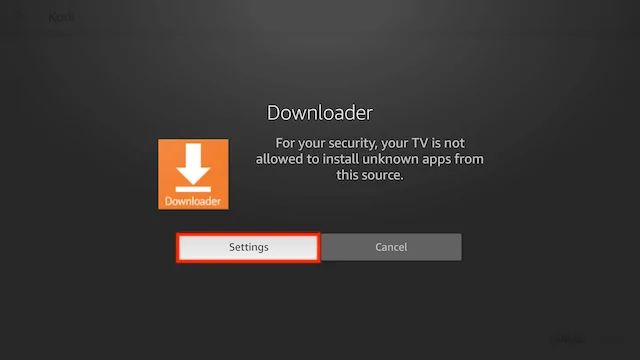
- The first time you try and download something with Downloader it will give you a settings warning your file will try to install but will not be allowed because of unknown apps being blocked. Just click on Settings
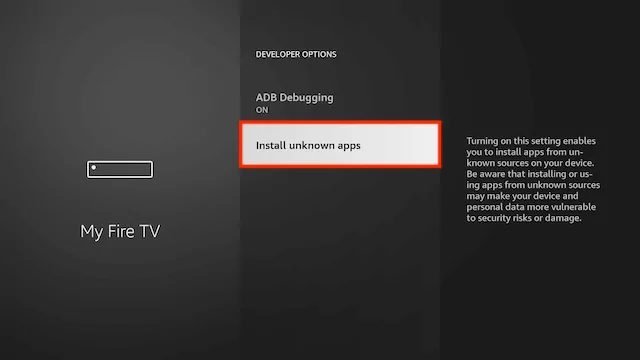
- Select Install unknown apps
- Click on Downloader so it turns from Off to On. You will never be asked to do this again when you use the Downloader app now that it is turned on.
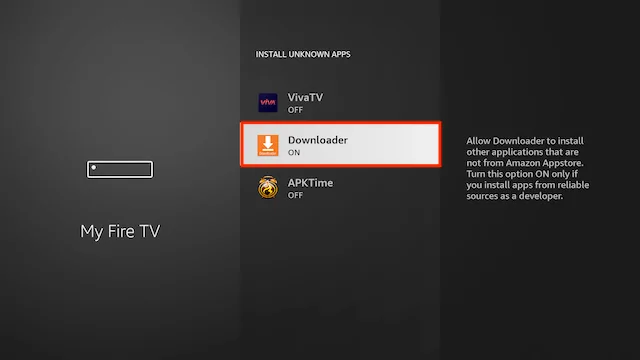
- Downloader is now ready and setup
Part 2: Installation Steps
To download Kshaw Player using Downloader, follow these steps:
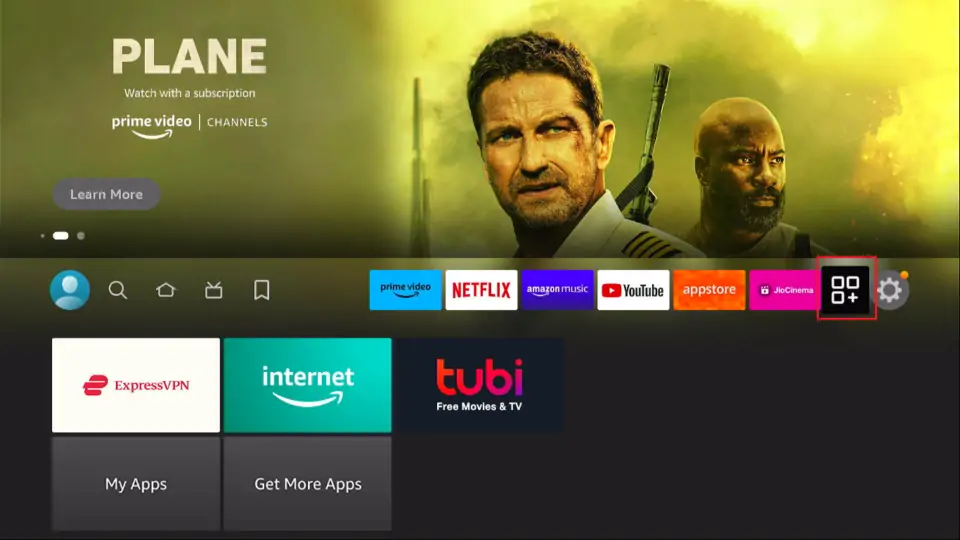
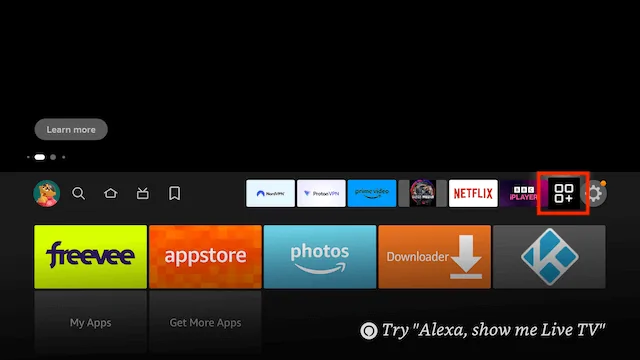
- Click the Your Apps shortcut on the home screen (squares and a plus sign).
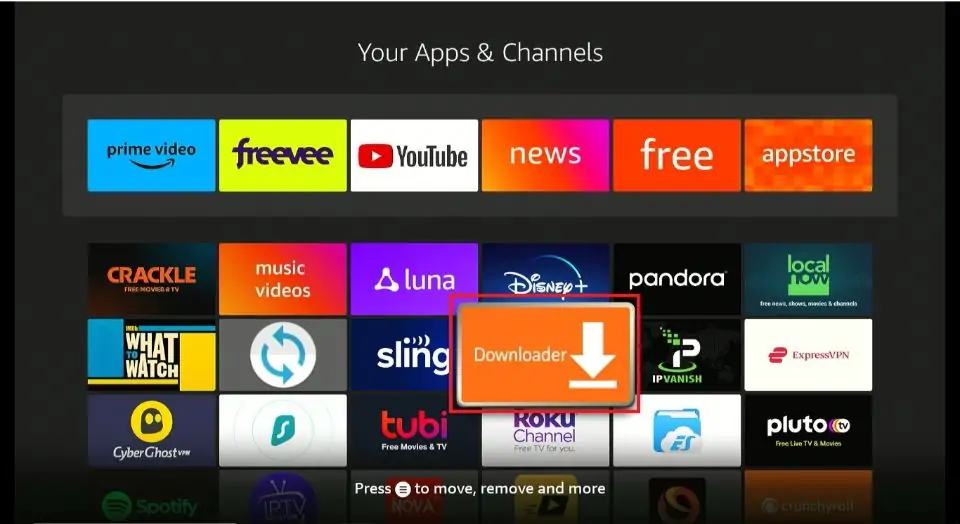
- Click the Downloader app icon to open.
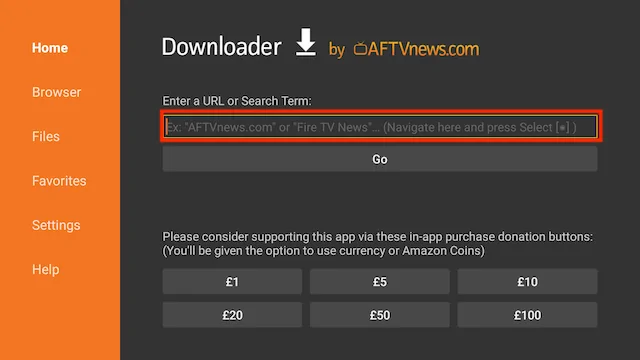
- Use your remote to highlight the Enter a URL or Search Term: section
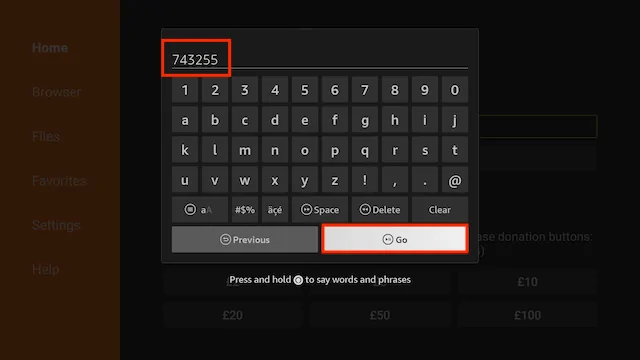
- Enter the following code
351198(image shows older short code) and then click Go
- Scroll down and click the Download Button
- The file will start to download
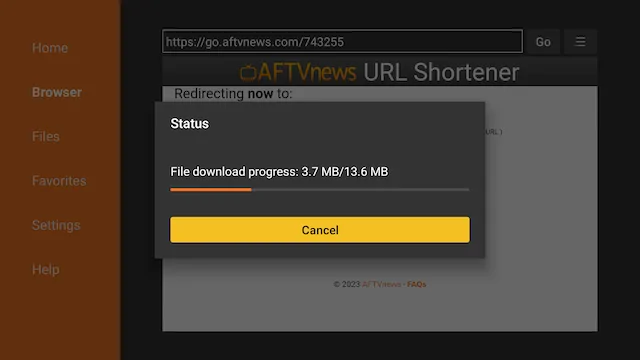
- You will be asked if you want to install it. Select INSTALL
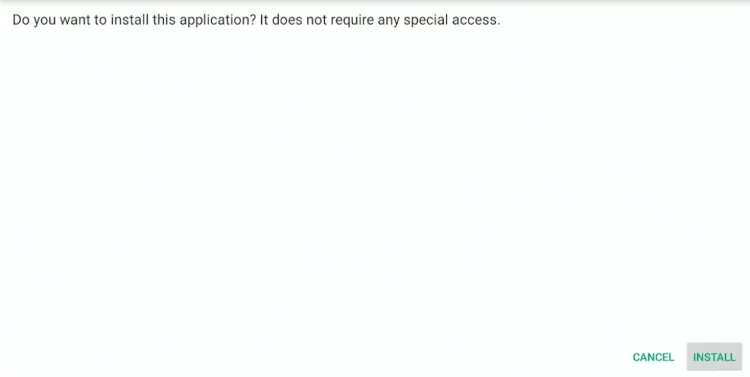
- Now the installation will start automatically.
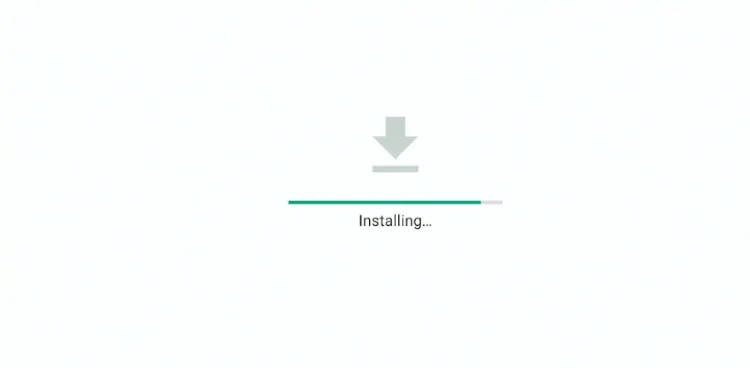
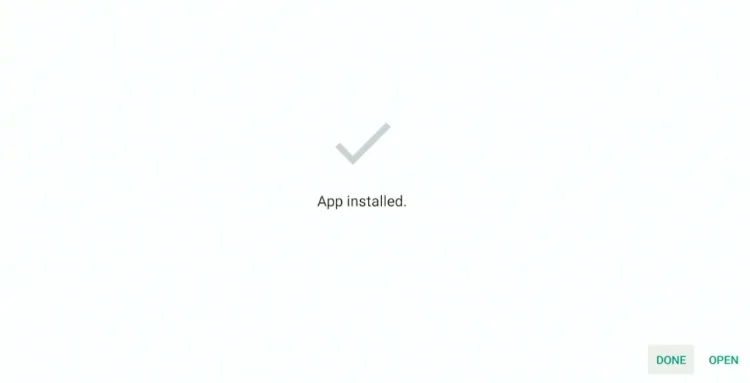
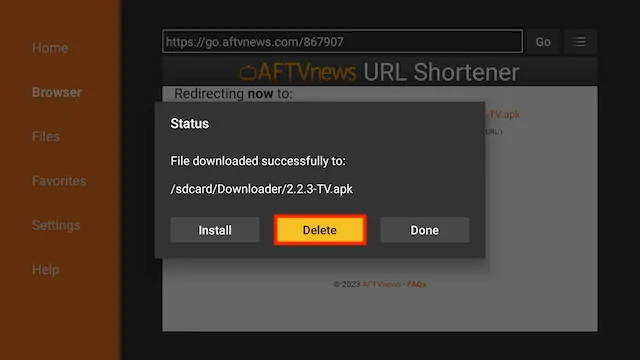
- Select Done (we are going to delete the installation file to save space on your stick)
- Select Delete
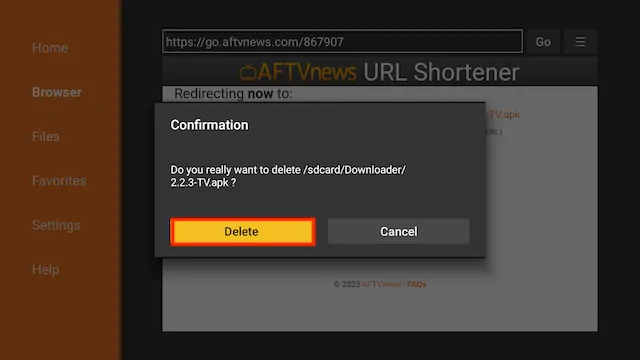
- Select Delete again
- Go back to your Fire Stick home screen select the APPS section
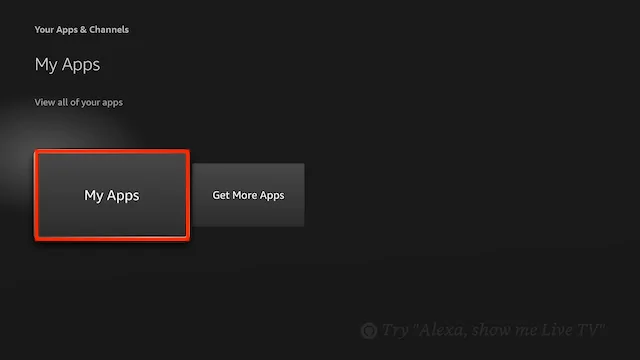
- Select My Apps
- You have installed the Kshaw Player app and sideloaded your device! Open your newly installed app from the apps screen!
- Kshaw Player will be located at the end
Legal Copyright Disclaimer: As has been noted, streaming copyrighted content is unlawful and could get you into legal trouble. On account of this, we do not condone the streaming of copyrighted content. Therefore, check your local laws for streaming content online before doing so. Consequently, the information on this website is for general information and educational purposes only.